



FAQ
FAQ(English)
What should I do if the materials found with OPAC are already loaned out?
Reservations are available only to internal user.
You can reserve "Loaned out" materials by clicking the [Reserve] button in "Holdings List" on the bibliography details screen.
Online reservations are available only to those who can submit ILL requests online. Since you will need a username and password to log in, please ask at the service desk for assistance.
Please note that some items, such as reference books and special collections, cannot be reserved.
If you wish to reserve an item for which the “Reserve” button is not displayed, or if you are unable to make an online reservation, please contact us via email or at the service desk.
What if I want to use materials from a neighborhood public library?
Rules and application procedures vary depending on the library or the type of material.
Please consult the staff at the service desk first.
Please note that at public libraries such as the Kyoto City Library and the Kyoto Prefectural Library, you can generally access standard materials by visiting the library in person.
What should I do if I want to use materials from a different university library?
From the [Other Univ.] tab, you can search the books and serials mainly held by Japanese university libraries, etc.
Articles cannot be searched. If you want to search articles, perform the search from CiNii Research. 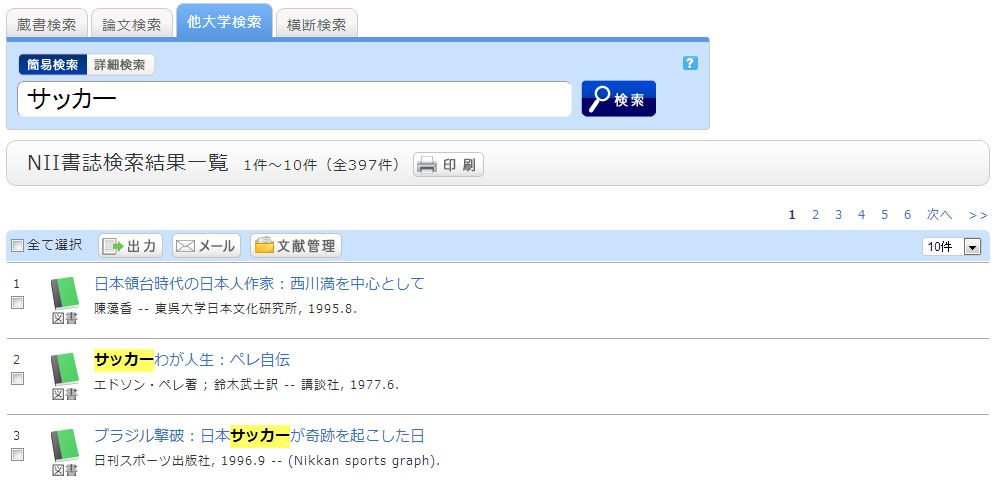
A search with an entered keyword will display the search result list screen.
When a material is selected from this screen, the NII bibliography details screen appears.
Only authorized internal users may request copies or physical copies of materials from other institutions.
To submit a request online, you will need your ID and password. Please inquire at the service desk.
Click one of the following options of the "Get it from another organization" item displayed in the right menu on the screen.
- ILL Copy Request (getting a copy from another library)
- ILL Borrowing Request (borrowing a physical book)
ILL Copy Request is a service for getting copies of parts of articles and books from other university libraries, etc.
ILL Borrowing Request is a service for getting books from other university libraries, etc. 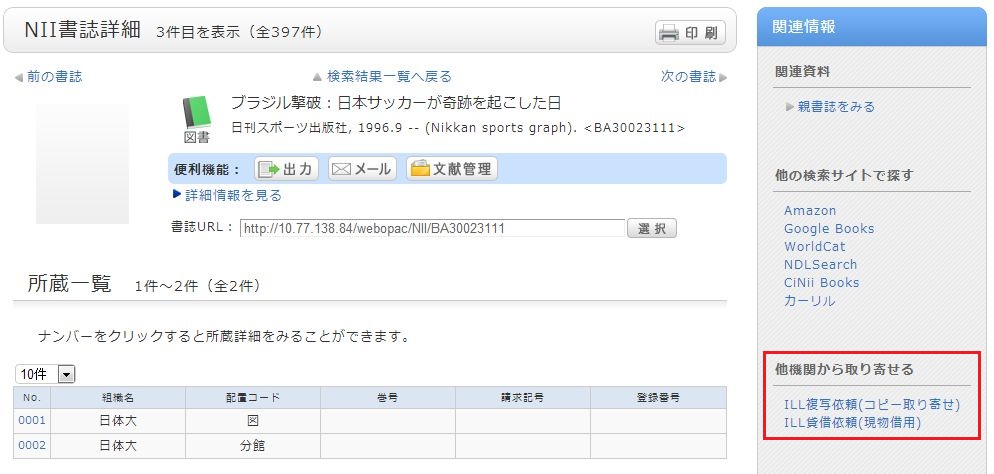
There is an article that I want to obtain but haven't found it. How can I obtain it?
Please feel free to ask us at the counter or via email.
If you have detailed information on the article, enter the detailed information for the material from ILL Copy Request on the left side of the screen. 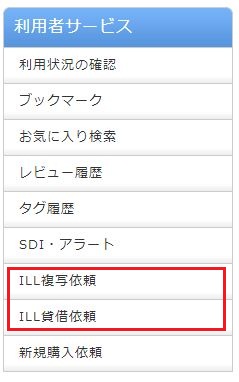
If you know that the article is in a published serial at another university,
select the [Univ.] tab from the search bar. Select ILL Copy Request from the detailed pages (NII bibliography details screen) of that serial.
If you found the article elsewhere, such as in another system, see the respective system help to make an ILL copy request.
How do I fill in the copy request screen?
Before applying, please check to see if the Nichibunken library has that journal.
Since many articles are now available for free online, please try searching for them on Google or similar search engines.
First, enter information on the materials you are looking for.
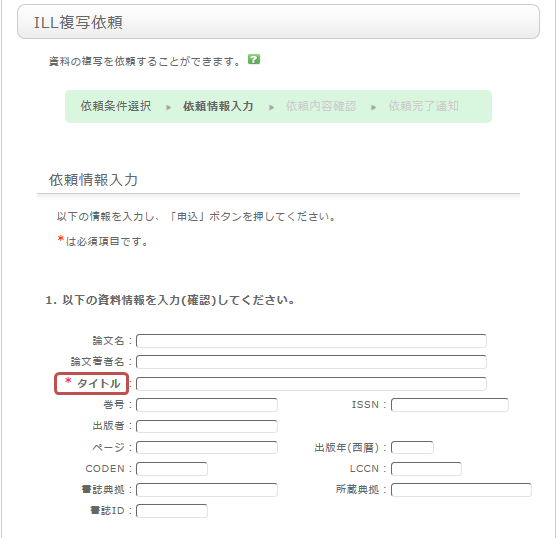
To be certain about obtaining those materials, enter as much detailed information as you can.
In particular, if you found them in any database or other information source, please write the name of the source in the article name field.
Once you have entered the above details, click the [Submit] button, and confirm the details on the confirmation screen.
When there are no problems, click the [OK] button to complete the procedure.