


FAQ
How do I fill in the copy request screen?
Before applying, please check to see if the Nichibunken library has that journal.
Since many articles are now available for free online, please try searching for them on Google or similar search engines.
First, enter information on the materials you are looking for.
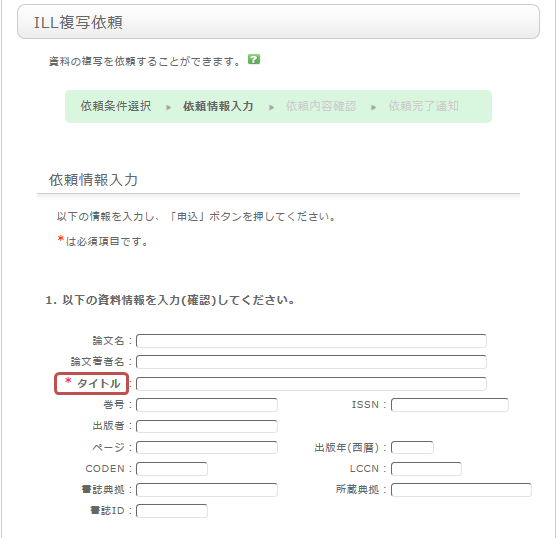
To be certain about obtaining those materials, enter as much detailed information as you can.
In particular, if you found them in any database or other information source, please write the name of the source in the article name field.
Once you have entered the above details, click the [Submit] button, and confirm the details on the confirmation screen.
When there are no problems, click the [OK] button to complete the procedure.